

Sweepy

A downloads cleaner for people who never clean their downloads. Tidies quietly in the background. You'll forget it's there.

Download for Mac

7-day free trial then $7.99 USD, one-time

macOS 14 or later

no subscriptions. buy once, keep forever.
how it works

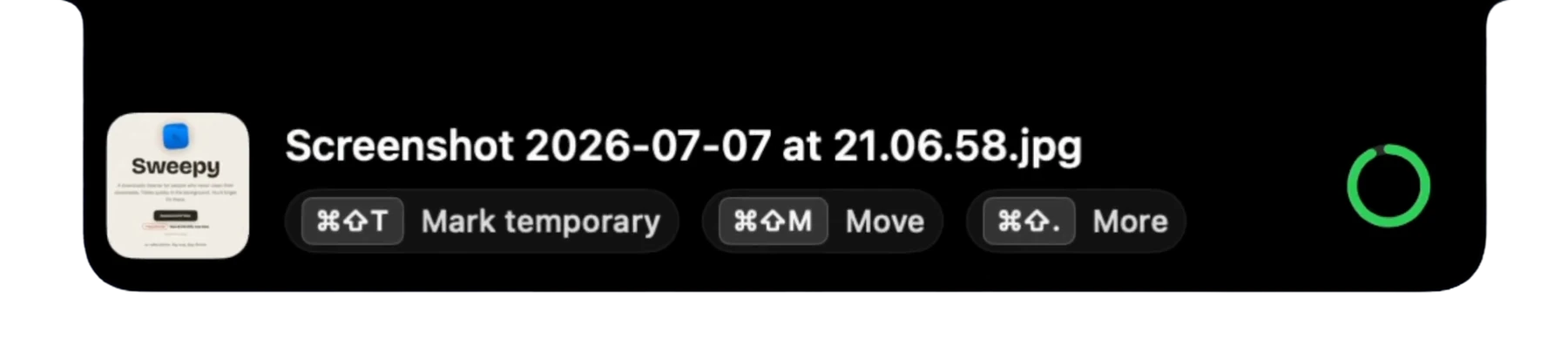
  1. Once the download finished, Sweepy shows you this message from your notch
  2. You decide what to do with it
  3. Only need it for a little while? Mark temporary removes it after your defined interval
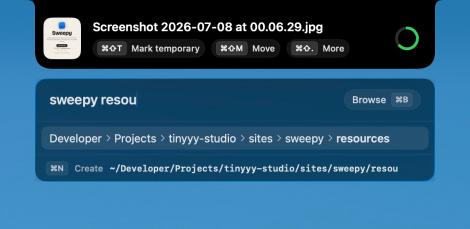
  4. Need it somewhere else? Move it quickly with “fuzzy” search
  5. Wanna keep it? Just wait for the countdown to finish or press esc

the quiet routine

three little beats, then you forget it's running

most of what you download, you need for just a moment — to import somewhere, to share, or it never belonged in Downloads and you just want it moved. Sweepy quietly handles all of it, so your Downloads folder stays clean.

  1. something lands

    a new file drops into your Downloads. Sweepy catches it right away — a little panel eases out of your MacBook's notch, no dock icon, no fuss, just a quiet nudge.

  2. you make the call

    only need it for a moment? ⌘⇧T marks it temporary. want to share and delete? ⌘⇧S. need it somewhere else? ⌘⇧M and fuzzy search for the location.

  3. swept away

    an hour later by default (or any interval you like), every temporary file tidies itself into the Trash. the ones you kept just stay put, right where you left them.

a closer look

the little panel, in a few of its moods
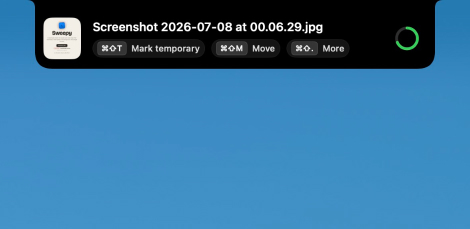
Sweepy's notch panel with a new download and its Mark temporary, Move and More actions, next to a countdown ring
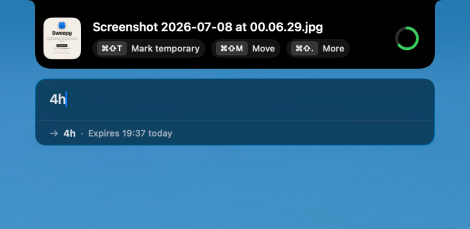
Setting a custom 4-hour expiry for a temporary file in Sweepy
Moving a file to another folder with Sweepy's fuzzy search
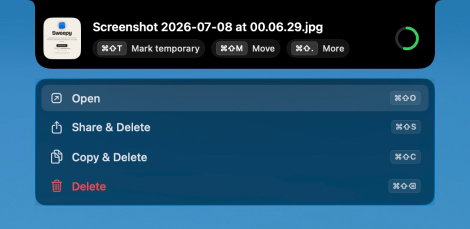
Sweepy's More menu: Open, Share & Delete, Copy & Delete and Delete

small on purpose

a menu-bar app that does one thing, but does it well

it lives in your menu bar
a tiny broom up top: no dock icon, no window taking up space. it's there when you need it and invisible when you don't.
your hands stay on the keys
every action on the little panel has a shortcut. mark it temporary, move it, or sweep it away — the file's handled before your hand even finds the mouse.
the Trash, never a shredder
everything Sweepy clears goes to the Trash, never a permanent delete. changed your mind an hour later? it's right where you'd look.
private by design
no accounts, no cloud, no AI, no tracking. Sweepy only ever touches your Downloads folder, and your files never leave your Mac.
keeps itself fresh
new versions arrive on their own, quietly in the background. you never have to go hunting for the latest one.